> For the complete documentation index, see [llms.txt](https://docs.deepomatic.com/platform-documentation/llms.txt). Markdown versions of documentation pages are available by appending `.md` to page URLs; this page is available as [Markdown](https://docs.deepomatic.com/platform-documentation/deepomatic-engage/getting-solutions/field-services/searching-work-orders-1.md).
# Grouping work orders
## Create a collection
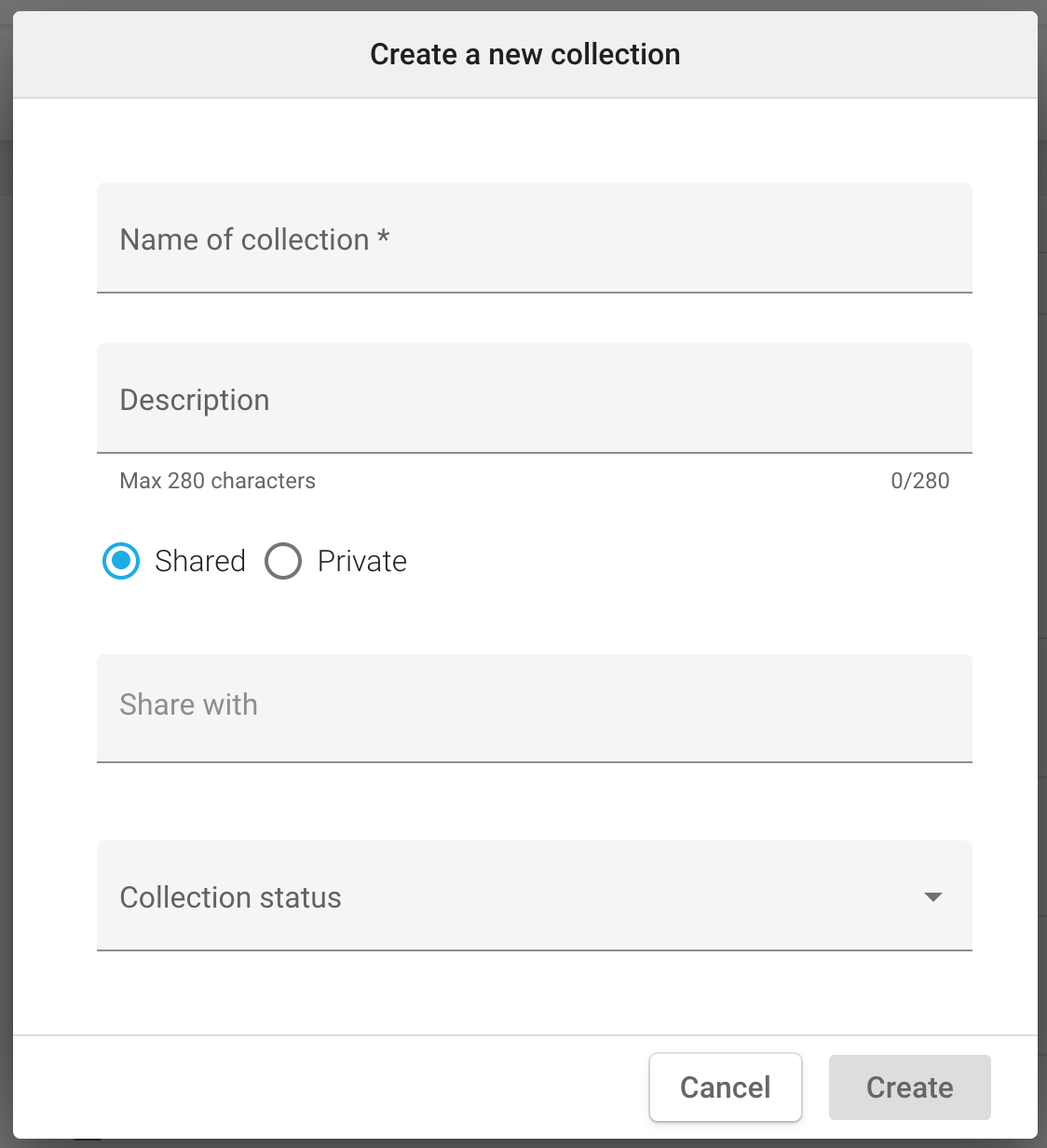
When you identify a specific pattern on several work orders, you have the ability to group them under a collection.
For each collection, it is thus possible to:
* Define a name and a description
* Specify a status if necessary
* Share it with other team members
## List collections
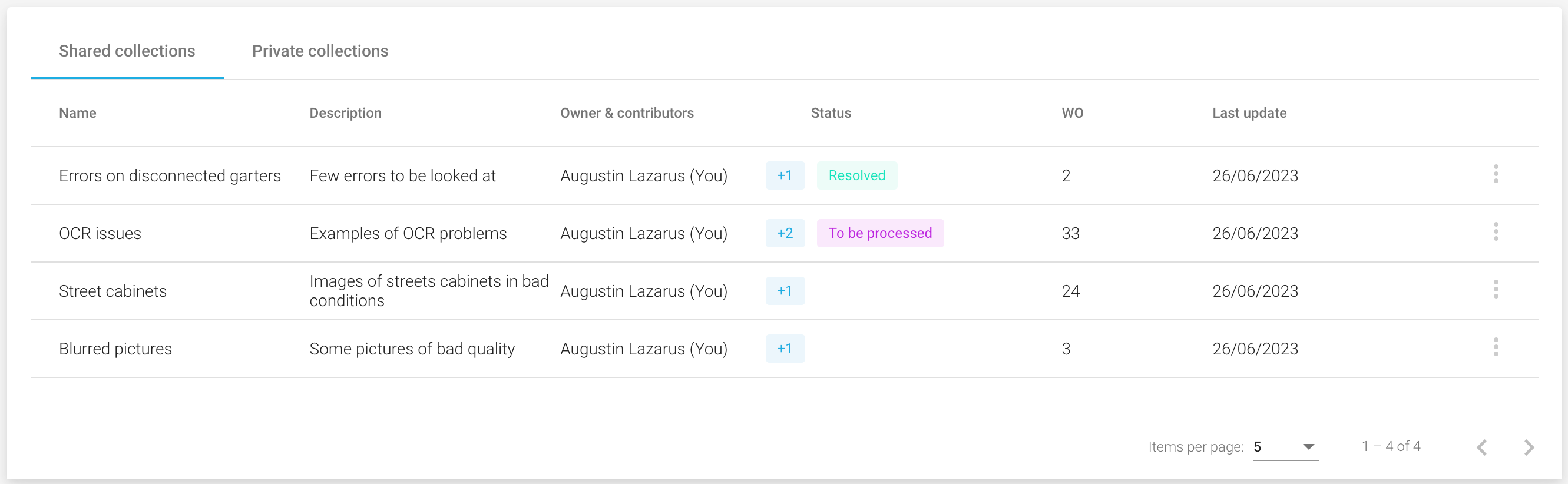
Now that you have created at least one collection, it becomes available in a dedicated section. \
All collections are grouped under 2 tabs depending on whether they are shared or not.
## Visualize a specific collection
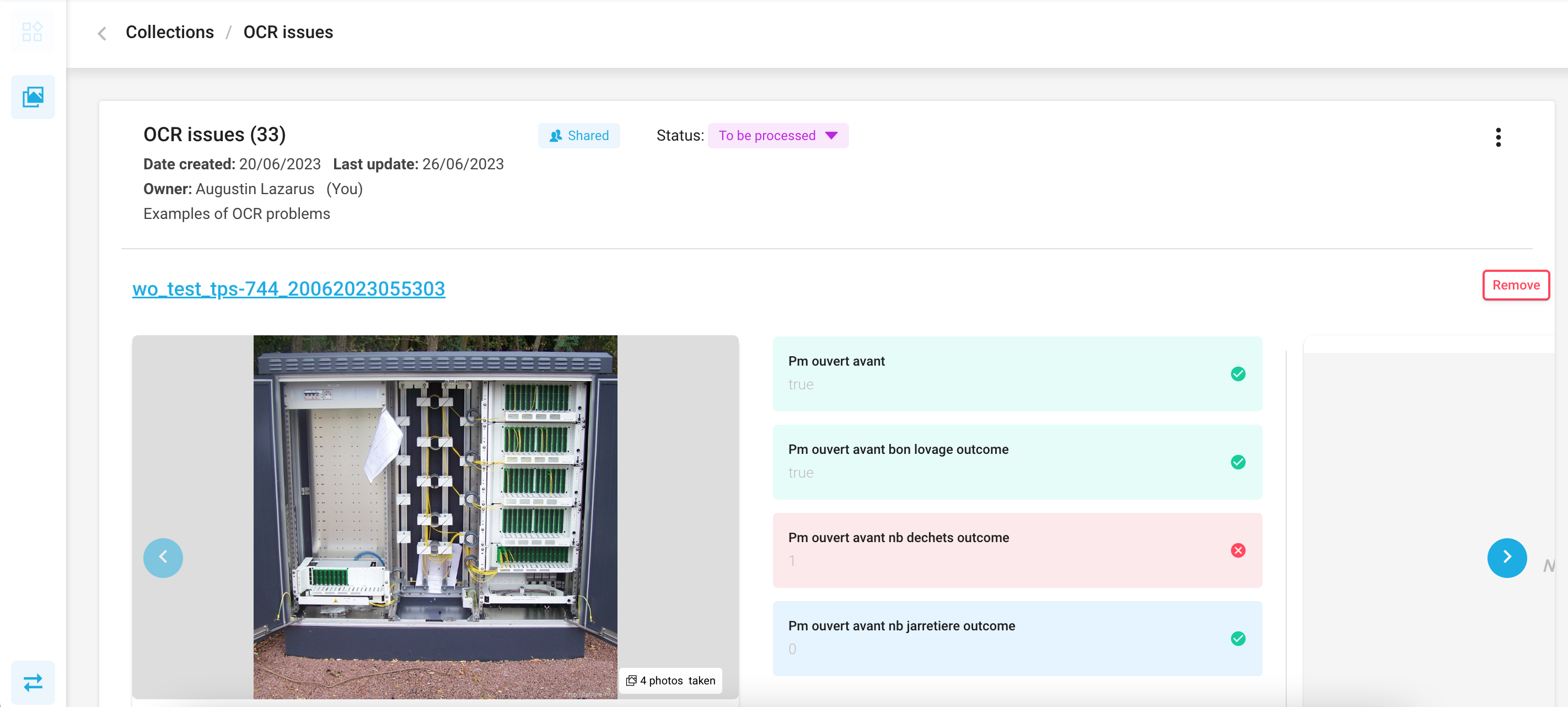
For all the collections to which you have access, you can consult the details which are basically the photos and the corresponding analysis.

 ## List collections
Now that you have created at least one collection, it becomes available in a dedicated section. \
All collections are grouped under 2 tabs depending on whether they are shared or not.
## List collections
Now that you have created at least one collection, it becomes available in a dedicated section. \
All collections are grouped under 2 tabs depending on whether they are shared or not.